
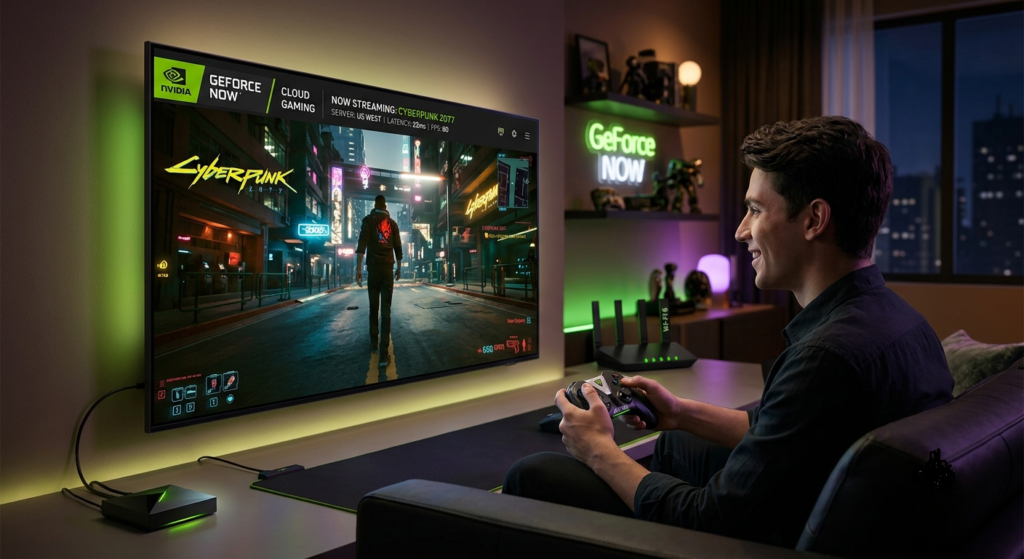
Gaming has evolved far beyond installing large files on a powerful desktop computer. Today, cloud technology allows players to enjoy high-quality PC games on devices that were never designed for gaming. One of the leading services in this space is NVIDIA GeForce NOW Cloud Gaming, a platform that streams games directly from NVIDIA’s powerful cloud servers to your device.
Whether you own a budget laptop, an older desktop, a MacBook, a Chromebook, or even a smartphone, this service lets you experience modern PC gaming without investing in expensive hardware. Instead of relying on your device’s graphics card, the game runs on NVIDIA’s remote servers, while the video and audio are streamed over the internet.
What Is NVIDIA GeForce NOW Cloud Gaming?
It is a cloud-based game streaming service developed by NVIDIA that enables users to play supported PC games over the internet. Instead of downloading and installing games on your local device, the games run on powerful NVIDIA data center servers equipped with high-performance GPUs.
Your device acts as a streaming screen, receiving high-quality video while sending your keyboard, mouse, or controller inputs back to the cloud in real time. This technology makes it possible to enjoy demanding games even on low-spec devices.
Unlike many cloud gaming services that require purchasing games through their own platform, GeForce NOW allows you to connect existing game libraries from supported digital stores such as Steam, Epic Games Store, Ubisoft Connect, and selected Xbox PC Game Pass titles.
Who Should Use GeForce NOW?
The platform is ideal for:
- Gamers with older or low-end PCs
- Students using laptops for both work and gaming
- Mac users who want access to PC games
- Travelers who game on multiple devices
- Players who want high-quality graphics without expensive upgrades
For many users, it offers an affordable way to enjoy premium gaming experiences while avoiding the ongoing costs of upgrading computer hardware every few years.
How NVIDIA GeForce NOW Cloud Gaming Works
The technology behind it is both simple and impressive. Instead of processing the game on your computer, NVIDIA’s cloud servers handle all the heavy graphical work. Here’s how the process works:
The Game Runs in the Cloud
When you launch a game, it starts on a virtual gaming PC hosted inside an NVIDIA data center. These servers use powerful RTX graphics cards capable of delivering advanced visual effects and smooth performance.
Gameplay Is Streamed to Your Device
The server continuously streams high-definition video to your screen while your internet connection sends your controls back almost instantly. With a stable, fast connection, this happens so quickly that gameplay feels responsive and natural.
Your Device Does Less Work
Because most of the processing happens remotely, your computer, tablet, or phone only needs enough power to decode the video stream. This significantly reduces hardware requirements compared to traditional PC gaming.
Key Features of NVIDIA GeForce NOW Cloud Gaming
One reason it stands out is its combination of advanced technology and user-friendly design. Instead of simply streaming games, it delivers many premium gaming features typically reserved for high-end gaming PCs.
RTX Graphics and Ray Tracing
Premium subscriptions support real-time ray tracing, creating more realistic lighting, shadows, and reflections. This enhances visual quality in supported games and provides a more immersive experience.
NVIDIA DLSS Technology
Deep Learning Super Sampling (DLSS) uses artificial intelligence to improve frame rates while maintaining impressive image quality. This allows compatible games to perform more smoothly, especially at higher resolutions.
Play Across Multiple Devices
One account can be used across several supported platforms, allowing you to switch between a desktop computer, laptop, tablet, smartphone, or compatible smart TV without losing your progress.
No Large Downloads or Updates
Traditional PC gaming often requires downloading dozens of gigabytes before you can start playing. With NVIDIA GeForce NOW Cloud Gaming, game installations, updates, and patches are managed on NVIDIA’s servers, letting you jump into supported games much faster.
Cloud Saves
Most supported games synchronize your saved progress through connected gaming platforms. You can continue where you left off even when switching to another compatible device.
Support for Popular Controllers
The service works with many keyboards, mice, and popular Bluetooth or USB gaming controllers, making it flexible for different play styles.
Why Is NVIDIA GeForce NOW Becoming So Popular?
NVIDIA GeForce NOW Cloud Gaming is driven by a simple idea: high-quality gaming should not depend entirely on owning expensive hardware. With graphics card prices often remaining high and modern games demanding increasingly powerful components, many gamers are looking for affordable alternatives. Cloud gaming addresses this challenge by moving the heavy processing to remote servers while allowing users to play on devices they already own.
For casual players, students, and even experienced gamers who travel frequently, this flexibility can be a significant advantage. As internet infrastructure continues to improve worldwide, cloud gaming is expected to become an increasingly important part of the future gaming ecosystem.
NVIDIA GeForce NOW Cloud Gaming Subscription Plans
One of the biggest advantages of NVIDIA GeForce Cloud Gaming is that it offers multiple subscription options to suit different budgets and gaming needs. Whether you’re a casual player or a competitive gamer, there’s a plan designed for your requirements.
Free Plan
The Free plan is perfect for beginners who want to experience cloud gaming without spending money. It allows users to test the platform and play supported games, although there are some limitations. Key features include:
- No monthly subscription fee
- Standard cloud gaming performance
- Limited session length
- Possible waiting queues during peak hours
This plan is best for occasional gamers who want to explore the platform before upgrading.
Performance Plan
The Performance plan is designed for players who want smoother gameplay and shorter waiting times. Benefits include:
- Faster access to gaming servers
- Higher graphics settings
- Longer gaming sessions
- Improved frame rates
- Better overall streaming quality
For many users, this subscription offers the best balance between price and performance.
Ultimate Plan
The Ultimate plan provides the highest-quality experience available on NVIDIA GeForce NOW Cloud Gaming. It is intended for gamers who want premium graphics and the lowest possible latency. Depending on game support and internet speed, Ultimate members can enjoy:
- RTX-powered graphics
- AI-enhanced DLSS technology
- High refresh rate gameplay
- Up to 4K streaming on supported devices
- Priority server access
- Longer uninterrupted gaming sessions
If you’re replacing a traditional gaming PC, this plan delivers the closest experience to high-end local hardware.
Professional Comparison
| Feature | Free Plan | Performance Plan | Ultimate Plan |
| Monthly Cost | Free | Paid | Premium |
| Queue Priority | Basic | High | Highest |
| Session Length | Limited | Extended | Longest |
| Graphics Quality | Standard | High | Ultra |
| RTX Support | Limited | Yes | Advanced |
| Maximum Resolution | Standard | High | Up to 4K* |
| Best For | Beginners | Regular Gamers | Enthusiasts & Professionals |
Supported Devices for NVIDIA GeForce NOW Cloud Gaming
NVIDIA GeForce NOW Cloud Gaming is its impressive device compatibility. Instead of requiring a dedicated gaming computer, the platform supports a wide range of modern devices.
Windows PCs: Both entry-level and high-performance Windows computers can access the service through the official application or supported web browsers.
Mac Computers: Mac users often struggle to play Windows-exclusive PC games. Cloud streaming eliminates many of these hardware limitations, making gaming much more accessible on macOS.
Chromebooks: Chromebooks are designed primarily for productivity, but with cloud gaming, they become capable gaming devices without needing dedicated graphics hardware.
Android Smartphones and Tablets: Android users can install the GeForce NOW app and enjoy PC-quality games while traveling or relaxing away from their desks.
iPhone and iPad: Apple users can access the service through supported web browsers, allowing them to enjoy compatible games on mobile devices.
Smart TVs and NVIDIA Shield TV: Many compatible Smart TVs and NVIDIA Shield devices support direct cloud gaming, creating a console-like experience without purchasing dedicated gaming hardware.
Benefits of NVIDIA GeForce NOW Cloud Gaming
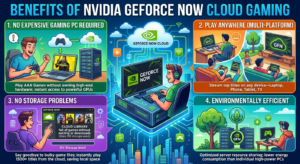
The success of it comes from solving many common problems faced by PC gamers.
No Expensive Gaming PC Required
Perhaps the biggest advantage is cost savings. Instead of spending hundreds or even thousands of dollars on gaming hardware, users can stream demanding games from powerful cloud servers.
Play Anywhere
Whether you’re at home, traveling, or visiting friends, you can access your supported games from multiple devices with a stable internet connection.
No Storage Problems
Modern games often require over 100 GB of storage space. Since games run remotely, you don’t need to worry about filling your hard drive.
Automatic Updates
Game patches, graphics driver updates, and server maintenance are handled by NVIDIA. Players spend less time updating and more time gaming.
Environmentally Efficient
Extending the lifespan of existing computers reduces electronic waste and minimizes the need for frequent hardware upgrades, making cloud gaming a more sustainable option for many users.
NVIDIA GeForce NOW Cloud Gaming vs Traditional PC Gaming
Choosing between cloud gaming and a traditional gaming PC depends on your priorities, budget, and internet connection.
Hardware Cost
Traditional gaming requires a powerful processor, dedicated graphics card, sufficient RAM, and ongoing hardware upgrades. Cloud gaming removes most of these expenses by shifting processing to remote servers.
Performance
A high-end gaming PC can still deliver the lowest latency and the greatest level of customization. However, NVIDIA GeForce NOW Cloud Gaming offers excellent performance for many players, especially those with fast and stable internet.
Convenience
Cloud gaming wins when it comes to convenience. There are no lengthy installations, software updates, or hardware compatibility issues. You simply log in and start playing supported titles.
Portability
A desktop gaming PC stays in one location, while cloud gaming lets you continue your progress across laptops, tablets, smartphones, and supported Smart TVs using the same account.
Which Option Is Better?
Traditional PC gaming remains the best choice for professional esports players, users with unreliable internet connections, or those who prefer complete hardware control.
Read more: Dailynewslaw: Your Trusted Source for Comprehensive News in India
Internet Requirements for the Best Gaming Experience
Stable internet connection is the foundation of a smooth cloud gaming experience. Since NVIDIA GeForce NOW Cloud Gaming streams games in real time, both download speed and network stability are more important than having a powerful computer. Here are the recommended network requirements:
- Minimum Speed: 15 Mbps for 720p gaming.
- Recommended Speed: 25–50 Mbps for 1080p gameplay.
- Best Experience: 50 Mbps or higher for 4K streaming on supported plans.
- Latency: Less than 40 ms is recommended for responsive gameplay.
- Connection Type: A wired Ethernet connection provides the most stable performance, while a 5 GHz Wi-Fi network is the next best option.
If multiple people are using the same internet connection for streaming or downloading, you may experience reduced performance. Whenever possible, prioritize your gaming device on your home network.
Tips to Improve NVIDIA GeForce NOW Cloud Gaming Performance
Even with a good internet connection, a few simple adjustments can significantly improve your gaming experience.
- Use a Wired Connection: Ethernet connections reduce packet loss and provide lower latency than Wi-Fi, making gameplay smoother.
- Close Background Applications: Video streaming services, large downloads, and cloud backups consume bandwidth. Closing unnecessary applications helps ensure more bandwidth is available for gaming.
- Choose the Nearest Server: Selecting the closest available server minimizes network delay and improves responsiveness.
- Adjust Streaming Quality: If your connection becomes unstable, lowering the streaming resolution or bitrate can reduce lag and prevent visual artifacts.
- Keep Your Device Updated: Although games run in the cloud, keeping your browser, GeForce NOW app, operating system, and graphics drivers updated helps maintain compatibility and performance.
Common Problems and Troubleshooting
Like any online service, NVIDIA GeForce NOW Cloud Gaming may occasionally encounter issues. Fortunately, many common problems have simple solutions.
High Latency
- Restart your router.
- Use a wired connection.
- Disconnect unused devices from your network.
Poor Video Quality
- Check your internet speed.
- Reduce streaming settings.
- Avoid network congestion during peak hours.
Game Not Launching
- Verify that the game is supported.
- Confirm that your gaming account is correctly linked.
- Restart the application and sign in again.
Controller Not Detected
- Update your controller firmware.
- Reconnect the controller.
- Check compatibility with your device.
The Future of NVIDIA GeForce NOW Cloud Gaming
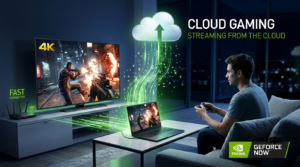
Cloud gaming continues to improve as internet infrastructure and server technology advance. NVIDIA regularly expands its game library, upgrades server hardware, and introduces new AI-powered features that enhance graphics quality and reduce latency.
Future developments are expected to include even faster cloud servers, broader game support, improved mobile performance, and deeper integration with digital game stores. As internet speeds continue to increase worldwide, cloud gaming is likely to become a practical choice for an even larger audience.
Final Verdict
NVIDIA GeForce NOW Cloud Gaming has transformed the way people experience PC gaming by making high-performance gameplay accessible on a wide range of devices. Whether you’re using an older laptop, a Mac, a Chromebook, or a smartphone, the service allows you to enjoy many popular games without purchasing expensive hardware.
While traditional PC gaming still delivers unmatched customization and offline performance, cloud gaming excels in affordability, flexibility, and convenience. By choosing the subscription plan that matches your needs and maintaining a stable internet connection, you can enjoy a premium gaming experience almost anywhere.
FAQs
Q1: What is NVIDIA GeForce NOW Cloud Gaming?
Ans: It is a cloud gaming service that streams supported PC games from NVIDIA’s servers to compatible devices, allowing users to play without owning a high-end gaming PC.
Q2: Is NVIDIA GeForce NOW Cloud Gaming free?
Ans: Yes. A Free plan is available with limited session lengths and possible waiting queues. Paid plans offer higher performance, longer sessions, and additional premium features.
Q3: Do I need to purchase games separately?
Ans: Yes. Most games must already be owned through supported platforms such as Steam, Epic Games Store, Ubisoft Connect, or eligible Xbox PC Game Pass titles.
Q4: Which devices support GeForce NOW?
Ans: The service supports Windows PCs, Macs, Chromebooks, Android devices, iPhones, iPads, NVIDIA Shield TV, selected Smart TVs, and supported web browsers.
Q5: What internet speed is recommended?
Ans: At least 25 Mbps is recommended for Full HD gaming, while faster and more stable connections provide the best experience for higher resolutions and frame rates.
Q6: Is cloud gaming better than a traditional gaming PC?
Ans: It depends on your needs. Cloud gaming offers convenience, affordability, and portability, while a traditional gaming PC provides maximum performance, customization, and offline gaming capability.
Q7: Is NVIDIA GeForce NOW Cloud Gaming worth it?
Ans: For users who want to enjoy modern PC games without investing in expensive hardware, it offers excellent value. However, the experience depends on having a reliable internet connection and access to supported games.