
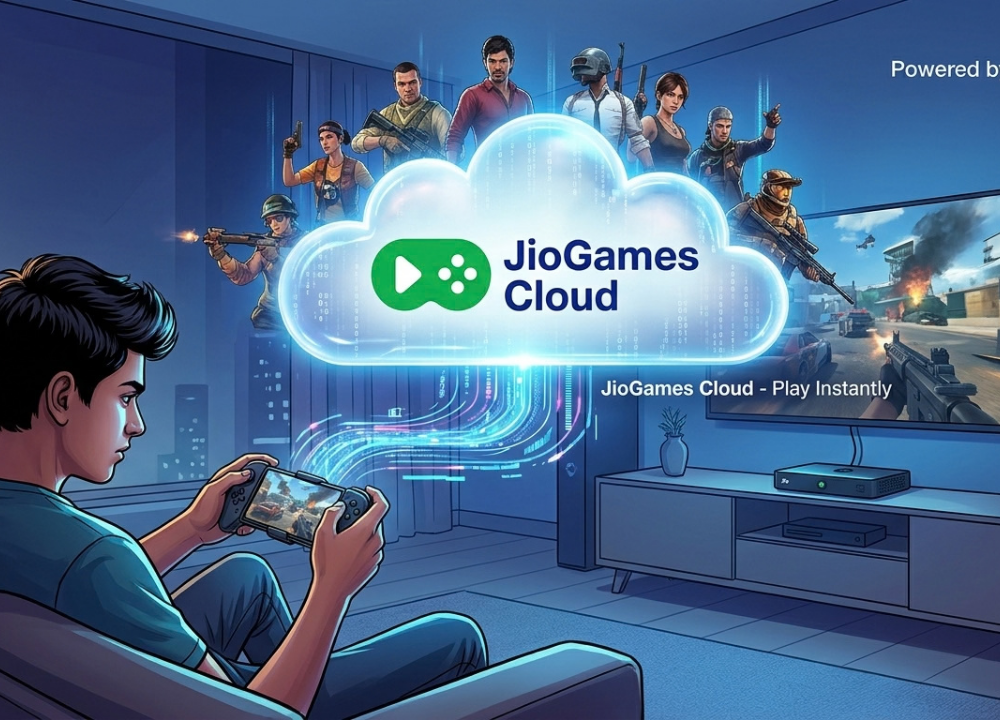
Cloud gaming has changed the way people think about playing video games. Instead of downloading large files, installing games, and depending entirely on expensive gaming hardware, players can access games through internet-based streaming services. One platform that brings this concept to users in India is jiogames cloud.
The idea is simple: games can run on remote servers while the gameplay is streamed to a compatible device. This can make gaming more accessible to people who may not own a powerful gaming PC or console. At the same time, the quality of the experience depends heavily on internet connectivity, device compatibility, and the games available through the service.
What Is JioGames Cloud?
JioGames Cloud is a cloud gaming service designed to let users play supported video games through internet streaming rather than relying entirely on local game installations. With traditional gaming, a game usually needs to be installed on a computer, console, or mobile device. The hardware then performs much of the processing required to render the game. Cloud gaming changes this model by moving much of the processing to remote servers.
With jiogames cloud, the player interacts with a game that is running through cloud infrastructure, while the resulting video and audio are streamed to the user’s device. The user’s controls are sent back through the internet so the game can respond to them.
How Does JioGames Cloud Work?
The basic cloud gaming process can be understood in a few steps:
- The user accesses the cloud gaming service through a supported device.
- A compatible game is selected.
- The game runs on a remote server.
- Gameplay is streamed to the user’s screen.
- The user’s controller, keyboard, mouse, or touch input is transmitted back to the server.
- The server processes those commands and sends updated gameplay back to the device.
Key Features of JioGames Cloud
The appeal of jiogames cloud comes from its cloud-based approach to gaming. Rather than treating games as files that must always be installed locally, it provides a way to access supported games through streaming.
Cloud-Based Game Streaming
The most important feature is game streaming. Instead of requiring every game to be installed on the local device, supported titles can be delivered through the cloud. This can be particularly useful for users with limited storage or devices that are not designed for demanding local gaming.
Gaming Across Supported Devices
Cloud gaming can provide greater flexibility because the game does not necessarily need to be tied to one powerful gaming machine. Depending on current service support, users may be able to access cloud gaming through compatible smartphones, PCs, televisions, or connected devices.
Game Library
A cloud gaming platform is only as useful as the games available through it. JioGames provides access to a selection of games across different categories, although the exact catalog can change over time. Players should therefore check the current library before choosing the service for a particular game.
Convenient Access
Another benefit is convenience. Traditional gaming can involve downloading large files, installing software, managing updates, and making sure enough storage space is available.
What Games Can You Play on JioGames Cloud?
The games available through jiogames cloud can vary according to the current service catalog and platform support. Rather than assuming that every game available on a PC or console can be streamed, users should check the current JioGames library for supported titles.
Action and Adventure Games
Action and adventure games can be a natural fit for cloud gaming because they offer interactive experiences without requiring players to manage large local installations.
Racing Games
Racing games are another popular category. However, these games can be sensitive to input delay, making a stable connection particularly important.
Sports Games
Sports titles can also provide an enjoyable cloud gaming experience when supported. Controller compatibility may be particularly useful for these games.
Casual Games
Casual games can be easier to access for users who simply want a quick gaming session without setting up a dedicated gaming system.
How to Find Games
The easiest approach is to browse the current catalog through the official JioGames service. Look for categories, featured titles, or search functionality where available. Game availability can change, so checking the current catalog is more reliable than depending on an old list found online.
What Devices Can You Use With JioGames Cloud?
One of the interesting aspects of jiogames cloud is the possibility of accessing games through different types of supported hardware. However, compatibility can depend on the current service version and device. Users should always verify current requirements before getting started.
Mobile Devices
Cloud gaming can be particularly convenient on smartphones because users do not necessarily need to install large game packages. A touchscreen may work for certain games, while an external controller can provide more traditional gaming controls when supported.
PC
A PC can provide a larger display and more familiar controls through a keyboard, mouse, or controller. Users should make sure their browser, application, operating system, and internet connection meet the current requirements of the service.
What Do You Need to Use JioGames Cloud?
Before using jiogames cloud, there are several practical requirements to consider.
A Stable Internet Connection
Internet quality is one of the most important factors in cloud gaming. Unlike an offline game installed on a console, a cloud game continuously communicates with remote servers. A connection that frequently drops or experiences high latency can result in interruptions, delayed controls, or reduced streaming quality.
A Compatible Device
The device must support the relevant JioGames cloud gaming experience. Compatibility may differ between smartphones, computers, TVs, and other platforms. Checking the current official requirements is therefore an important first step.
A Suitable Input Method
Some games may be easier to play using a controller, while others can work with touch controls, a keyboard, or a mouse. The best option depends on the individual game and supported platform.
How to Get Started With JioGames Cloud
Check Device Compatibility
Start by checking whether your smartphone, PC, TV, or other device is compatible with the JioGames Cloud service. Compatibility can vary depending on the platform, so review the latest requirements before getting started.
Prepare Your Internet Connection
A stable internet connection is essential for cloud gaming. If you are using Wi-Fi, staying closer to your router may help maintain a more consistent connection and reduce interruptions.
Access JioGames
Open the supported JioGames app, website, or other access method available for your device. Sign in or complete any required setup steps before selecting a game.
Browse the Game Catalog
Explore the available game library and choose a title you want to play. Check the game’s compatibility and any specific requirements before launching it.
Connect a Controller if Needed
Some games may be easier to play with a compatible controller. If the selected game supports one, connect your controller and make sure the device recognizes it before starting.
Benefits of JioGames Cloud
There are several reasons why jiogames cloud can be attractive to modern gamers.
Less Local Storage Required
Large modern games can occupy substantial amounts of storage. Cloud streaming can reduce the need to keep large game files on the user’s device.
Lower Dependence on High-End Hardware
Because much of the game processing takes place remotely, users may not need a high-end gaming PC for supported cloud games. That does not mean every device will deliver the same experience, but it can reduce the importance of local graphics hardware.
Convenient Game Access
Cloud gaming can remove some of the traditional installation process. Users can potentially move more quickly from selecting a game to actually playing it.
Flexible Gaming Options
For users who own multiple compatible devices, cloud gaming can offer more flexibility than a single dedicated gaming machine.
Limitations of JioGames Cloud
Although jiogames cloud offers several advantages, cloud gaming is not perfect for every situation.
Internet Dependency
The biggest limitation is the need for a reliable internet connection. If the connection becomes unstable, the game stream can suffer. This makes cloud gaming less suitable for locations with unreliable connectivity.
Latency and Input Delay
Latency refers to the time it takes for information to travel between the user’s device and the remote gaming server. In slower-paced games, small delays may not be especially noticeable. In competitive or fast-paced games, however, even small delays can affect responsiveness.
Streaming Quality Can Change
Cloud gaming quality can depend on network conditions. Changes in bandwidth, congestion, or connection stability may affect the quality of the streamed image.
Game Availability Can Change
The game catalog is not necessarily permanent. Titles can be added, removed, or changed according to service arrangements. Players should therefore check the current catalog rather than relying on outdated information.
Compatibility Matters
Not every controller, device, operating system, or game necessarily works in the same way. Checking current compatibility information can prevent unnecessary troubleshooting.
JioGames Cloud vs. Traditional Gaming
The biggest difference between cloud gaming and conventional gaming is where the game is processed.
| Feature | JioGames Cloud | Traditional Gaming |
| Game delivery | Streamed through the cloud | Installed locally |
| Local storage | Generally lower requirement | Often requires significant storage |
| Internet dependency | High | Varies |
| Local hardware | Less dependent on powerful hardware | Often depends heavily on device hardware |
| Updates | Managed through the service | Usually downloaded locally |
| Access | Depends on supported platforms | Depends on the game and hardware |
| Latency | Internet connection can affect responsiveness | Usually lower for locally processed games |
Tips for a Better JioGames Cloud Experience
A few simple habits can improve the overall cloud gaming experience.
Use a Stable Connection
A consistent connection is more important than simply having a high advertised speed. Avoid situations where the connection frequently disconnects or fluctuates.
Reduce Network Congestion
If several devices are simultaneously downloading large files or streaming high-resolution video, cloud gaming may be affected. Closing unnecessary bandwidth-heavy activities can help maintain a more consistent connection.
Consider Using a Controller
A compatible controller can make action, racing, sports, and adventure games more comfortable and easier to control. If a game supports external controllers, connecting one can provide a more familiar gaming experience.
Keep Your Software Updated
Keep supported JioGames applications, browsers, operating systems, and device software updated when appropriate. Updates can help maintain compatibility and provide a smoother overall experience.
Common JioGames Cloud Problems and Basic Fixes
When using JioGames Cloud, users may occasionally encounter technical problems. Issues such as lag, connection interruptions, loading problems, or controller difficulties can sometimes be related to the internet connection, device compatibility, or software settings.
Game Does Not Load
Check your internet connection first. Then restart the supported application or access method and try again. If the issue continues, check whether the game or service is currently available.
Gameplay Feels Laggy
Lag can be caused by network latency or congestion. Try reducing other internet activity and improving the stability of your connection.
Controller Does Not Work
Make sure the controller is properly connected and supported by the device and game. Disconnecting and reconnecting the controller can also help.
Who Should Consider JioGames Cloud?
The suitability of jiogames cloud depends largely on the user’s gaming habits and internet connection.
Casual Gamers
People who enjoy occasional gaming may appreciate a model that does not require maintaining a dedicated high-end gaming computer.
Users With Limited Storage
Cloud gaming can be useful for people who do not want to dedicate large amounts of storage to game installations.
Gamers Without High-End Hardware
Users with compatible but less powerful hardware may find cloud gaming appealing because the remote server handles much of the processing.
Users With Reliable Internet
A stable internet connection is particularly important. Users with frequent connectivity problems may have a less consistent experience.
Is JioGames Cloud Suitable for Beginners?
For newcomers, jiogames cloud can be an approachable way to understand cloud gaming because the concept is relatively simple: select a supported game and stream the gameplay to a compatible device. Beginners should focus on three things first: device compatibility, internet stability, and available games.
Final Thoughts
JioGames Cloud represents the broader shift toward cloud-based gaming, where players can access supported games without relying entirely on traditional local installations and high-end hardware. Its biggest attractions include convenient game access, reduced local storage requirements, and the ability to experience cloud gaming through supported devices. At the same time, internet quality remains a major factor. Latency, network stability, device compatibility, and the available game catalog can all influence the overall experience.
FAQs
Q1: What is JioGames Cloud?
Ans: JioGames Cloud is a cloud gaming service that allows supported games to be streamed over the internet to compatible devices. Instead of relying entirely on local game installation and processing, cloud infrastructure handles much of the gaming workload.
Q2: How does JioGames Cloud work?
Ans: A supported game runs on remote servers while gameplay is streamed to the user’s device. The user’s controls are sent back to the server, allowing the game to respond in real time.
Q3: Can I play JioGames Cloud on mobile?
Ans: Cloud gaming can be accessed through supported mobile devices, subject to the current JioGames requirements. Users should check device compatibility and use a stable internet connection for the best experience.
Q4: Can I use JioGames Cloud on a PC?
Ans: Supported PC access may be available through the current JioGames platform. Compatibility can depend on the operating system, browser or application, and service requirements, so users should check the latest official information.
Q5: Can I play JioGames Cloud on a TV?
Ans: TV access depends on supported JioGames services and compatible connected devices. When supported, playing on a television can provide a larger-screen gaming experience, especially when paired with a compatible controller.